


-
Sliding Background Image Menu with jQuery
a submenu will slide out from the bottom. This menu comes with some configuration possibilities, such as the size of the image, the hover effect and custom default states.
-
 Chop Slider :: CSS3 animation
This awesome slider with a chopping effect was last updated on June 20, 2011. The ChopSlider uses full power of CSS3 animation
-
Sliding Letters with jQuery
the standard hover effect by playing around with the letters in an anchor word. The aim is to slide in letter by letter when hovering over a link element.
-
 PIROBOX EXTENDED V.1.0 - jQuery plugin
Browser compatibility = FireFox 2+, Opera9.5+, Chrome, Safari (Mac/Windows),IE 7+, Pirobox can be fun and usefull for you. Enjoy the code with jQuery
-
Advanced jQuery Full screen background image slideshow
Start up your HTML/CSS/jQuery editor and let's see how you can create this effect yourself!
Sunday, February 6, 2011
Carousel with wrap effect


Saturday, February 5, 2011
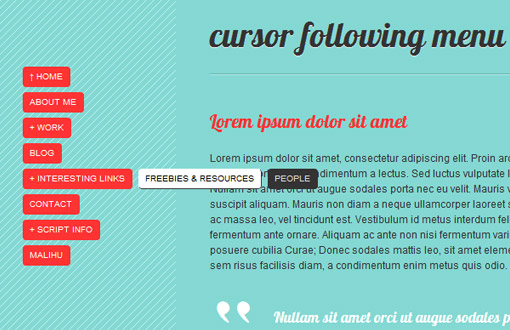
Cursor following menu
Friday, February 4, 2011
Advance Supersized Slideshow jQuery Plugin

- Resizes images to fill browser while maintaining image dimension ratio
- Cycles Images/backgrounds via slideshow with transitions and preloading
- Navigation controls allow for pause/play and forward/back
Thursday, February 3, 2011
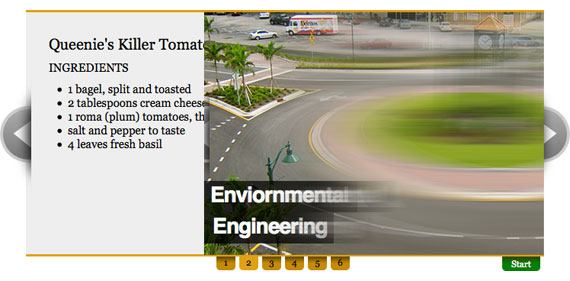
AnythingSlider jQuery Plugin
Tuesday, February 1, 2011
Creating a Keyboard with CSS and jQuery

ColorBox

Why you should be using ColorBox
- Supports photos, grouping, slideshow, ajax, inline, and iframed content.
- Lightweight: less than 9KB of JavaScript.
- Appearance is controlled through CSS so users can restyle the box.
- Behavior settings can be over-written without altering the ColorBox javascript file.
- Can be extended with callbacks & event-hooks without altering the source files.
- Completely unobtrusive, options are set in the JS and require no changes to existing HTML.
- Preloads background images and can preload upcoming images in a photo group.
- Written in jQuery plugin format and can be chained with other jQuery commands.
- Generates W3C valid XHTML and adds no JS global variables & passes JSLint.
- Released under the MIT License.
AD Gallery, gallery plugin for jQuery

Features
- Choose effect, should the image slide in, or fade in?
- Show fifth image by adding
#ad-image4to the url, this takes precedence over oversettings.start_at_index - jQuery call returns gallery instances, which enables you to change settings on the fly like the "Change to fade effect" link above
- Keyboard arrows to move back and forth
- Click on the edge of the big image to go to the next/previous
- Images are preloaded, and if the aren't finished loading when they are supposed to be displayed, a loading image will appear
- Slideshow count down only begins when the image has loaded and is visible
- Image title, can either be set in the title attribute, or in
elm.data('ad-title', 'My title here'). $.data takes precedence over the title attribute - Image descriptions, can either be set in the longdesc attribute, or in
elm.data('ad-desc', 'My description here'). $.data takes precedence over the longdesc attribute - Callbacks on different events that has access to the internal object, which means that you can access all internal methods, etc
- Takes the dimensions of the image container div and scales down images that are larger than it
- Image is positioned in the middle if it's smaller than the container div
- Images that are larger than the container are scaled down to fit inside the container
Browser compatibility
The script has currently been tested in Firefox 3/Win, Firefox 3.5/Mac, IE6+7+8/Win, Chrome 2/Win, Safari 3/Win, Safari 4/Mac, Opera 9/Win, Opera 9/Mac. If you have seen it working correctly in some other browser, or on some other platform, please let me know.
Subscribe to:
Posts (Atom)